Developer blog
Human Review Before AI Dubbing: A Practical QA Checklist
A wrong word costs one keystroke before you press Approve, and a full regeneration afterwards.
Put numbers on that. A 5:32 lesson reserves six minutes of balance per language, and the course in these screenshots targets three, so a word you could have fixed by reading costs eighteen minutes and another wait. Regeneration is per lesson and per language, never per line: change one sentence and that whole language of that lesson gets spoken again. What follows is how to spend those minutes once.
Why the review sits before the voice
Three machines run in a row: one hears the words, one translates them, one speaks them. Each takes the previous one's output as true.
A misheard product name therefore reaches the translator unquestioned and comes back translated, then gets pronounced with the conviction the voice gives everything else. By the time you hear it, the error has passed every stage that could have caught it, and fixing it means paying for the audio twice.
The only moment a person can get in front of that is after everything is written down and before anything is spoken.
What your review actually reaches
Worth knowing before you spend an hour on a lesson: the review is the script, not a suggestion to the engine.
Approving sends what you decided. The corrected lines with their timings, the speaker each line belongs to, and the voice you picked for that speaker. When every line of the language has a translation, that translation goes as the text to speak and nothing translates it again. The engine also stops working out the speaker split for itself and uses yours.
One case behaves differently, deliberately. If some lines of that language are still empty, the source text goes instead and the engine translates the whole lesson, because a half-filled script would be spoken half in the original language. So a column with holes in it is not a partial win. Fill it or expect a machine translation.
The free in-browser mode works the same way from a different place: what you read is what gets spoken, with the source line as a fallback where a translation is missing.
The source transcript
Read it against the audio. You are checking what the machine heard, and only the original says whether it heard right.
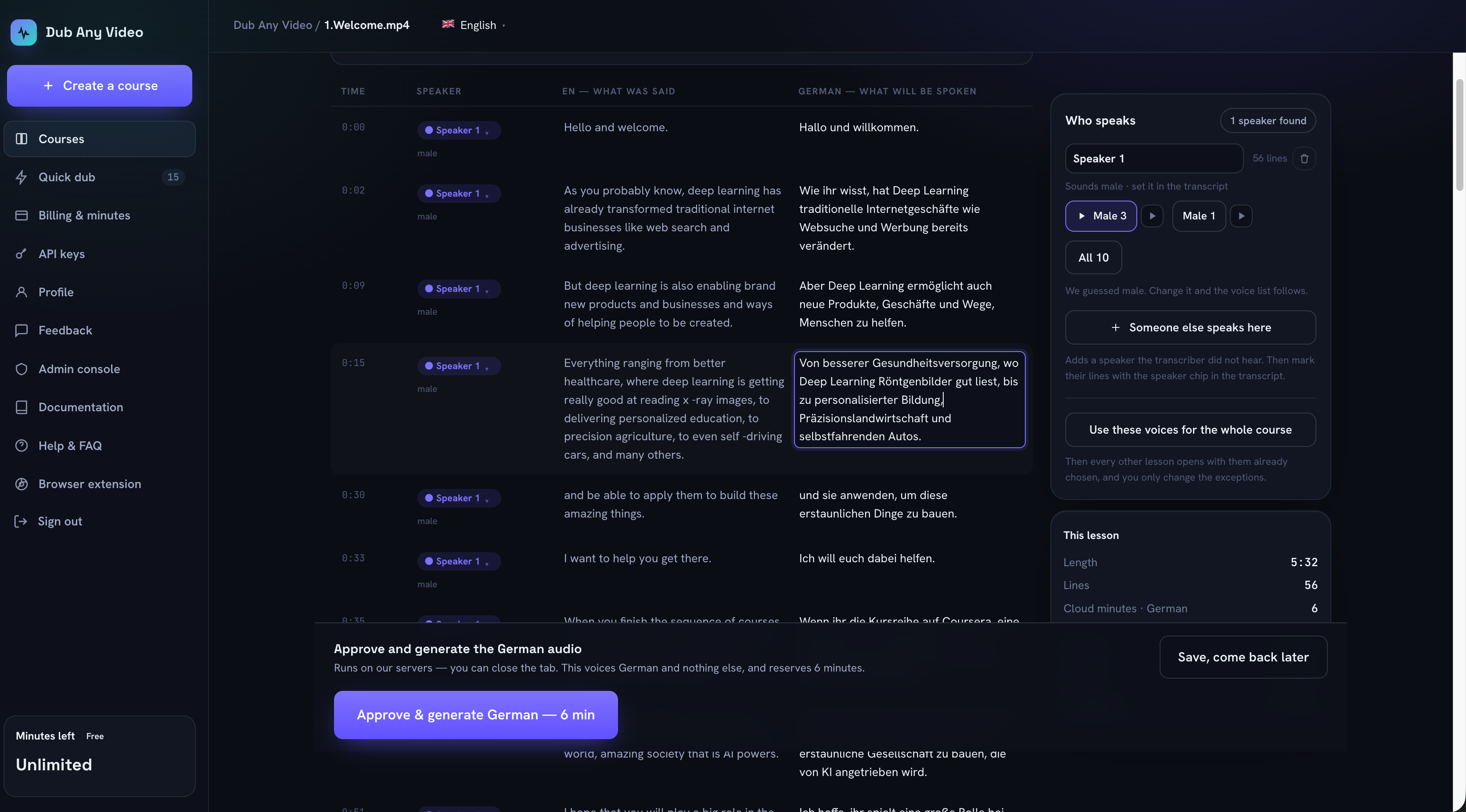 What was said on the left, what will be spoken on the right, and the voice decisions in the panel. Both columns are edited in place.
- Proper nouns, product names, acronyms. A transcriber guesses at these, and every later stage inherits the guess.
- Numbers, currencies, dates, versions. Read them out loud against the audio: one wrong digit is one character and a different claim.
- Hyphens and spacing artifacts. In this lesson the transcriber wrote "x -ray images" and "self -driving cars", spaces where nobody said one.
- Watch for sentences that end where the speaker did not stop, and for lines that stitch two speakers together.
- Cut filler, false starts and repetitions you do not want dubbed.
- Fix anything the source itself got wrong. One edit here repairs every language, which makes it the cheapest edit in this workflow.
The translation
These are the words that will be spoken, so read them as a script. Where a line is strange, it is still worth asking what in the source caused it, because fixing the source repairs the other languages too.
- Meaning first. A grammatical sentence that says something else is the failure that survives every automated check.
- Terminology. The same thing must be called the same thing in every lesson, which is what a course glossary is for. In this German lesson the engine wrote "Deep Learn" at 0:02 and "Deep Learning" seven seconds later.
- Numbers drift between languages, and decimal separators change with them.
- Interface strings, menu names and on-screen labels. If the learner's software is in English, a translated menu name sends them hunting for a button that does not exist.
- Look for omissions by comparing line lengths, and for the clause that quietly disappeared.
- Lines flagged as long. A translation more than about a third longer than its source gets a note under it, because the voice has to rush to fit the same slot and that is audible.
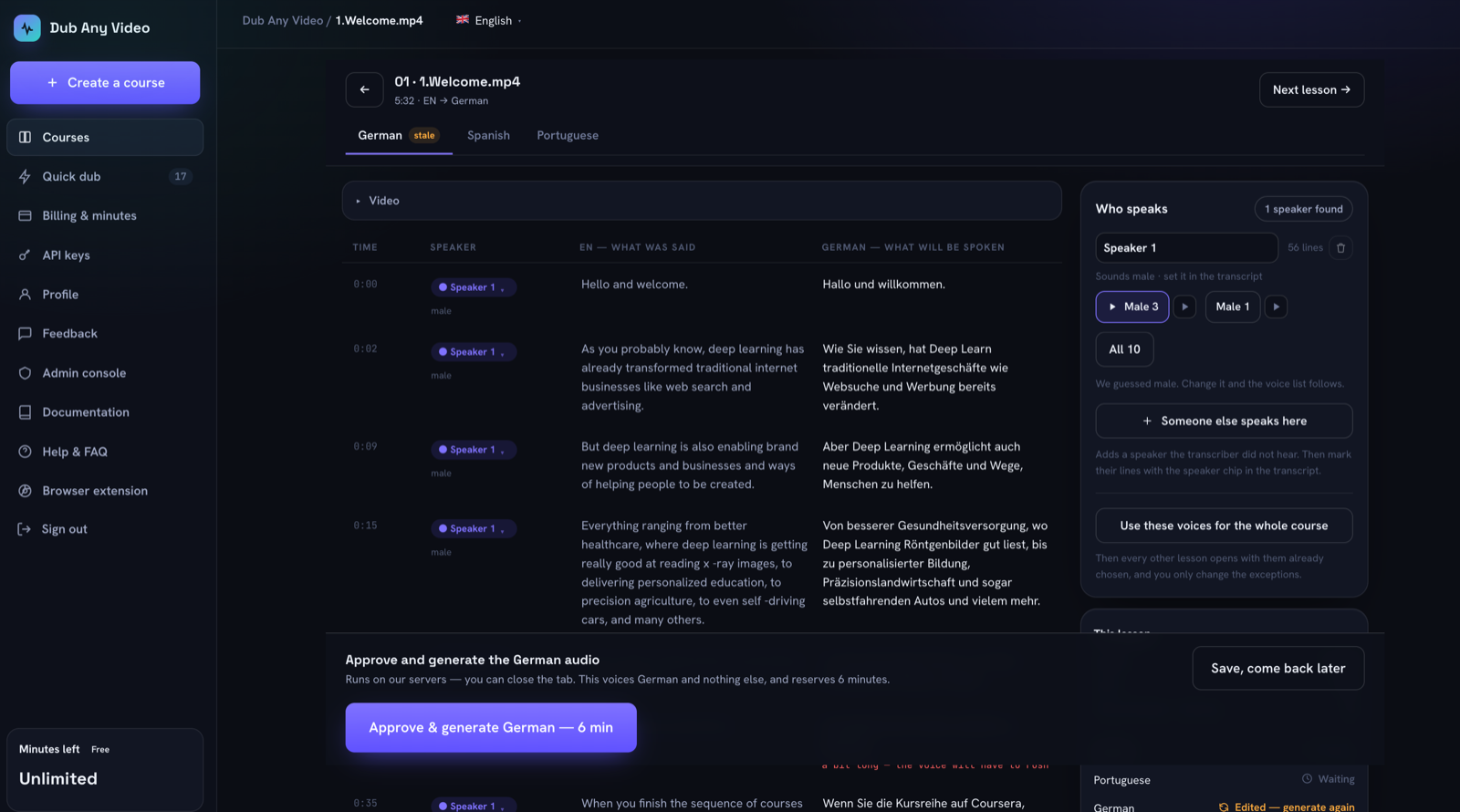 The same lesson before the wording was settled: "Deep Learn" at 0:02, "Deep Learning" at 0:09, and German marked stale because the text moved after the audio was made.
Speakers and timing
The split decides which voice reads which line, so it is a quality decision rather than metadata.
- Every line belongs to the person who said it. Move a single line, a line and everything after it, or every line the transcriber assigned to that speaker.
- If someone spoke and the machine never noticed them, add that speaker by hand and move their lines across.
- Two people merged into one get separated; one person split in two gets merged back.
- The gender on each speaker is right. It is a guess, shown as a guess, and it only steers which voices are offered first.
- Timings are the cue boundaries the engine aligns to. They are shown on the review screen but not edited there, so a line that runs long is fixed by shortening the text rather than by moving the clock.
Voices
- Every speaker has a voice in the language you are reading. A speaker can carry a different voice per language, and setting German leaves Spanish alone.
- You have heard the voice in the target language, not in English. Each voice has a sample in the language on screen.
- The voices are set for the course, not for this lesson, unless the exception is deliberate.
- Two speakers who sound alike will be heard as one person. If you would rather not cast at all, one click gives the whole lesson a single voice.
The approval gate
Approve is one language of one lesson. The button names the language and the minutes it reserves, so nothing is spoken that you have not read.
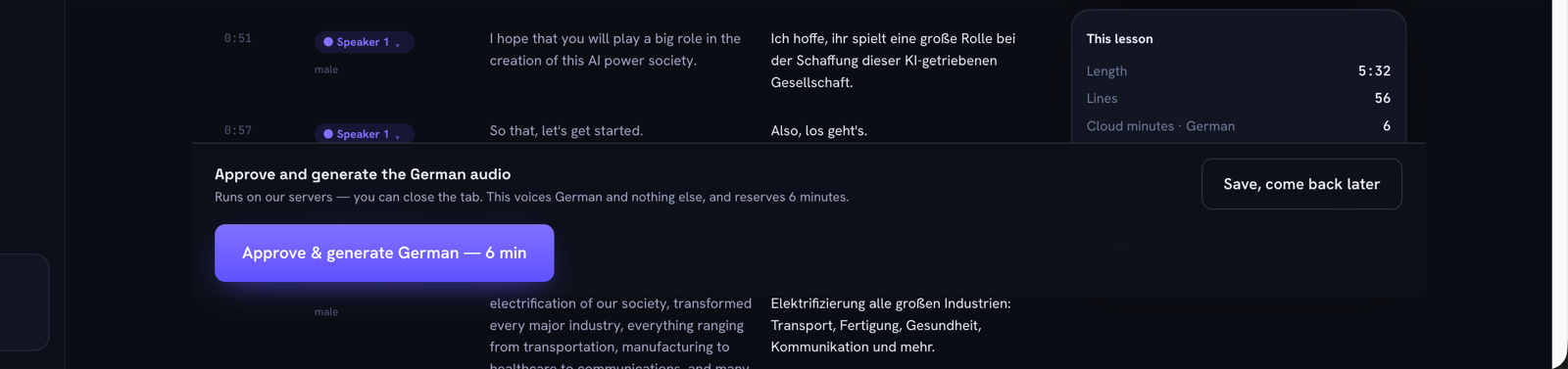 The gate says which language it voices and what it costs before it takes anything.
The gate is less strict than it looks. The only quality condition it enforces is that every speaker has a voice, so everything else in this article is your judgment and nothing checks it. And the state called "review" is set by the machine once every language has text, not by a person reading it. Approving records that the button was pressed, not who read the lesson, when, or against what. Keep that trail outside the tool if you need one.
The bulk Generate dialog approves many lessons at once and lists what it skips and why, but it cannot know whether anyone read them. That is the one screen where an unreviewed lesson slips through, so use it to run decisions you have already made.
None of this makes your output compliant with anything. A human reading a lesson is quality work, not a legal or accessibility guarantee. If you publish captions, WCAG 2.2 makes captions for prerecorded audio a Level A requirement, and if you buy post-editing as a service, ISO 18587:2017 defines what full human post-editing and post-editor competence mean.
After it is spoken: the spot check
Generated audio still needs ten minutes of listening, and it happens in place: a finished language plays over the original video, the dub as a separate track with the original kept quiet underneath rather than muted.
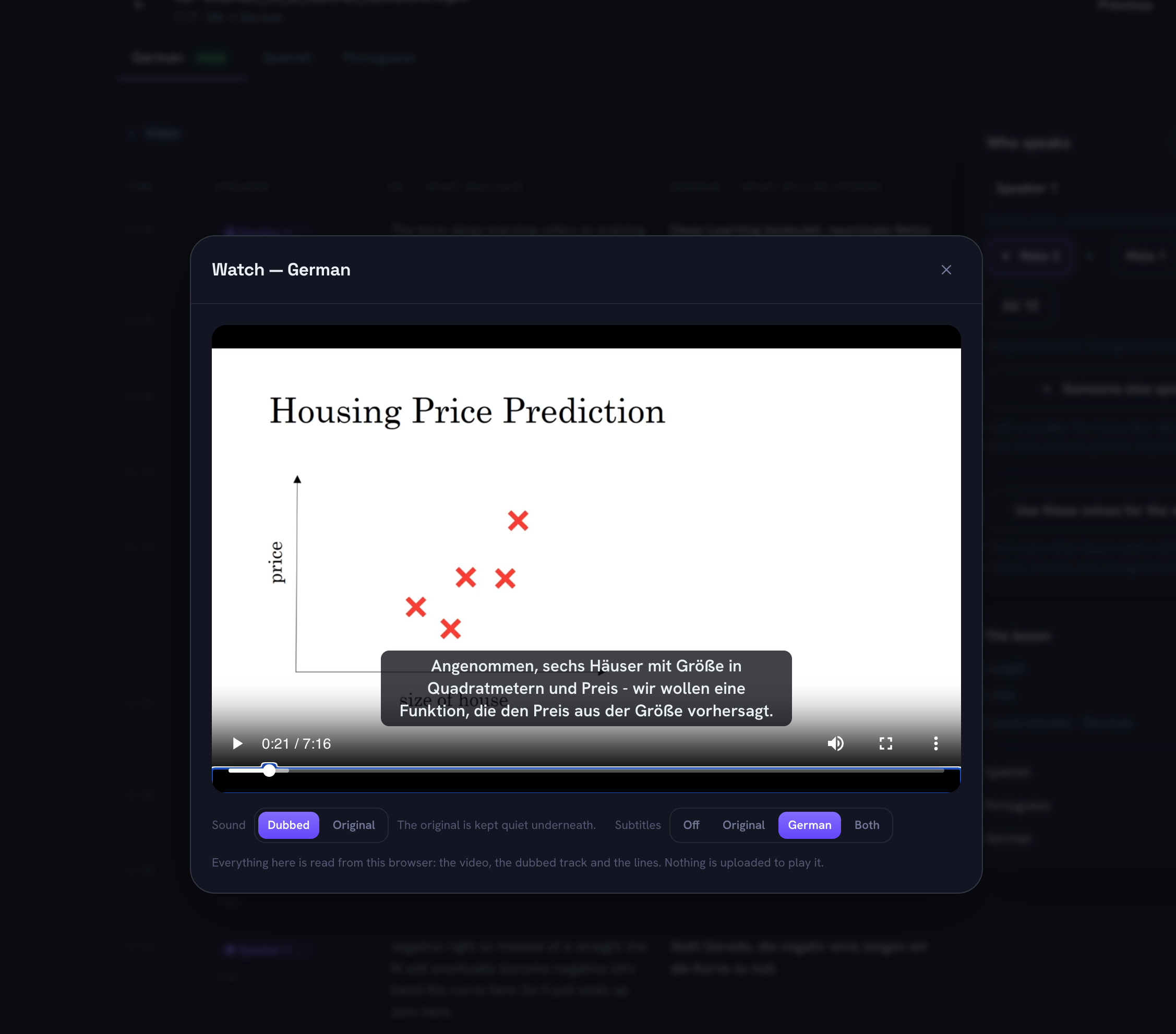 The finished German over the original slide at 0:21 of 7:16, subtitles on the language being checked. Switching Sound to Original pauses the dub and brings the speaker back to full volume, which is how you compare a line you are unsure about.
- The first and last thirty seconds. Openings and sign-offs carry names and calls to action.
- One passage with numbers, one with a term from the glossary, one where the speaker changes.
- Any line you edited, because that is where a rushed or clipped delivery shows up.
- Whether the audio still lines up with the picture at the end of the lesson, not only at the start.
- Silence where there should be words, which is what a dropped line sounds like.
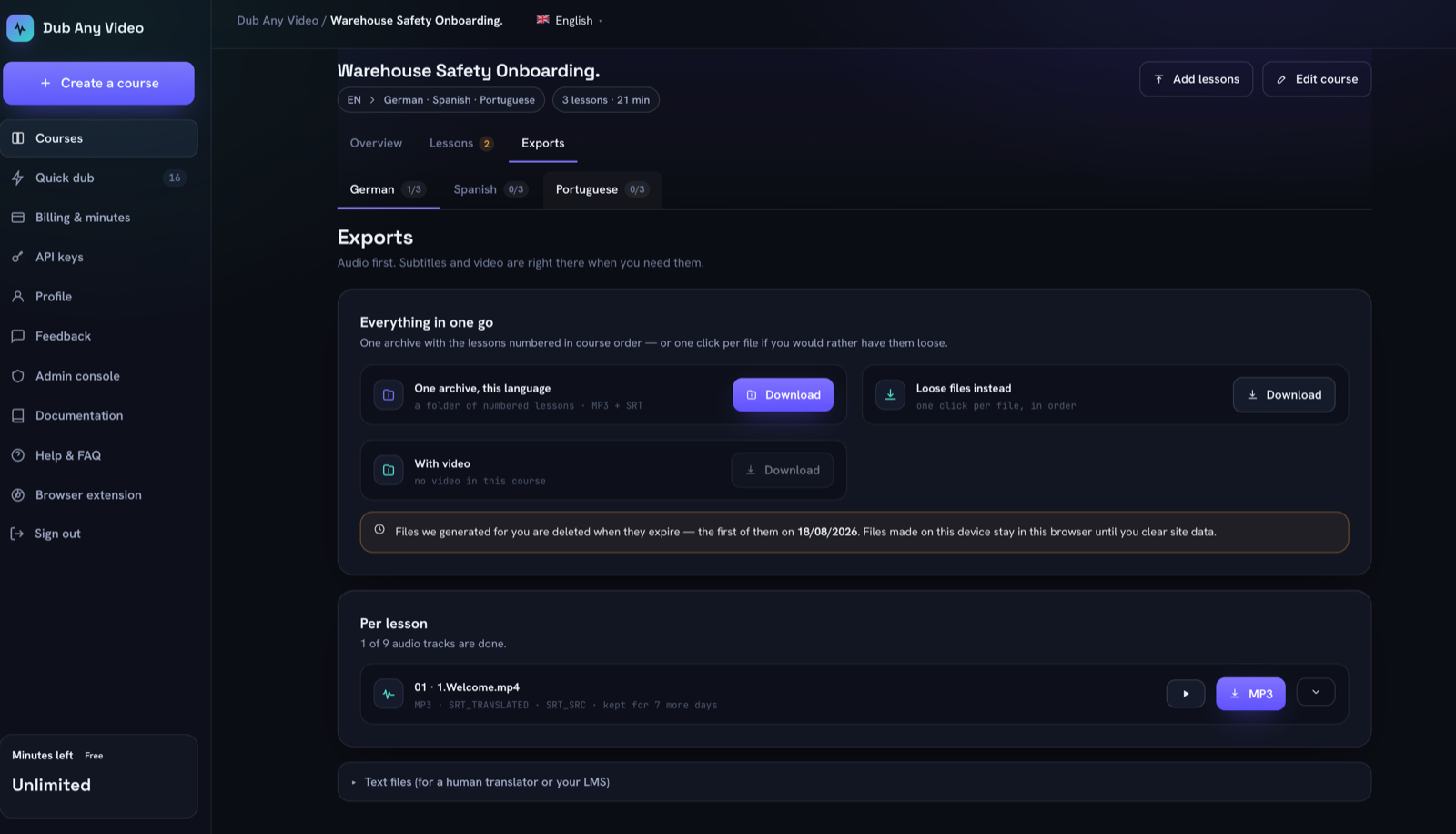 Nine tracks for three lessons in three languages, and a date on which the generated files are deleted.
Then download what you are keeping: generated files expire, and the exports screen prints the date of the first deletion.
How bad is it, exactly
Agree severity before the first review, or every finding becomes a discussion.
| Severity | What it looks like | What happens |
|---|---|---|
| Blocker | Wrong number, inverted safety instruction, wrong product name, a missing line | Do not publish. Fix the text and regenerate that language |
| Major | Meaning drifts, a term is inconsistent, a line runs long enough to sound rushed | Fix now if the lesson is not out, batch it with the next edit if it is |
| Minor | Word choice, a comma, a pronunciation you would have picked differently | Log it, decide once per course, do not spend minutes on it alone |
The rule behind the table: severity is about what the learner does wrong as a result, not about how much the mistake annoys you.
The one-page checklist
Copy this and run it per lesson, per language.
- ----
- -----
- ---
- --
- -
- ----FAQ
How long does reviewing a lesson take?
Longer than watching it, because you stop and read. Budget that per lesson and per language before promising a delivery date.
Can I skip the source transcript and only read the translation?
That is the most expensive shortcut here. One source fix repairs every language, while the same error caught downstream costs one fix per language, and the source is the only record of what was actually said. Reading only the target column means trusting a translation you never checked.
Does the tool record who approved a lesson?
No. It records that a lesson was approved. Keep the reviewer, the date and the version in your own system if you need to show your work.
What happens if I edit after generating?
The language is marked stale and the old file stays downloadable. Nothing is spent until you approve again.
Does the free browser mode need the same review?
The same review, for the same reason: in both modes the text you read is the text that gets spoken, so an unread line reaches the learner exactly as you left it.
Can any of this be automated?
Parts. Consistency of a decided word is mechanical, and a glossary handles it. Whether a sentence means what the speaker meant is not, which is why the gate is a person.
Read one lesson properly
The habit that makes the rest cheap: read lesson one slowly, decide the terms and the voices while you are there, then spot check what follows. The first lesson is where you find out what your course will argue with you about.
The full walkthrough shows the path end to end on one lesson, the buyer's checklist covers what to test before committing a catalogue, and terminology and voices is what stops you making the same correction fourteen times. When you have a lesson to read, open a course.